Flashing Volume Lights & Bootloops - Multiple Causes
Symptoms: HomePod will power on, but ends up with flashing / blinking volume lights, or boot loops. Won't factory reset with traditional methods.
Root Cause: Many are caused by failed software, or failed / interrupted software update. Some are hardware issues, usually on the logic board, usually the NAND or it's BGA. In rare cases it is caused by other faulty hardware, like physical damage to the display. It is typically not possible to tell if yours is h/w or s/w without connecting to it via USB and attempting to restore.
Hardware Repair: The most common hardware-related cause is the NAND's BGA on the logic board. While this is a fairly intensive repair, it can be reballed with an iPhone 6 NAND stencil, since they are identical. No way known currently to reprogram a new NAND chip if your old one dies.
Repair video coming soon!
Software Repair: You will need to download the latest .ipsw, fashion USB access to your HomePod, and restore with specific software tools.
The scripts / tools to accomplish this are FREE to use and linked below, do not pay anyone for them!
18.3 IPSW || Restore Guide || Live Demo || Print Your Own Adapter || Buy My USB Adapter
Check back for updates as old versions become unsigned, and thus, unrestorable!
Credit is due to tihmstar and David Ryskalczyk for making this happen! All I did was provide a bricked pod, then test, and document their process. Consider donating to them, especially if you've successfully restored your HomePod.
tihmstar's github || tihmstar's patreon || tihmstar's 3d printable adapter
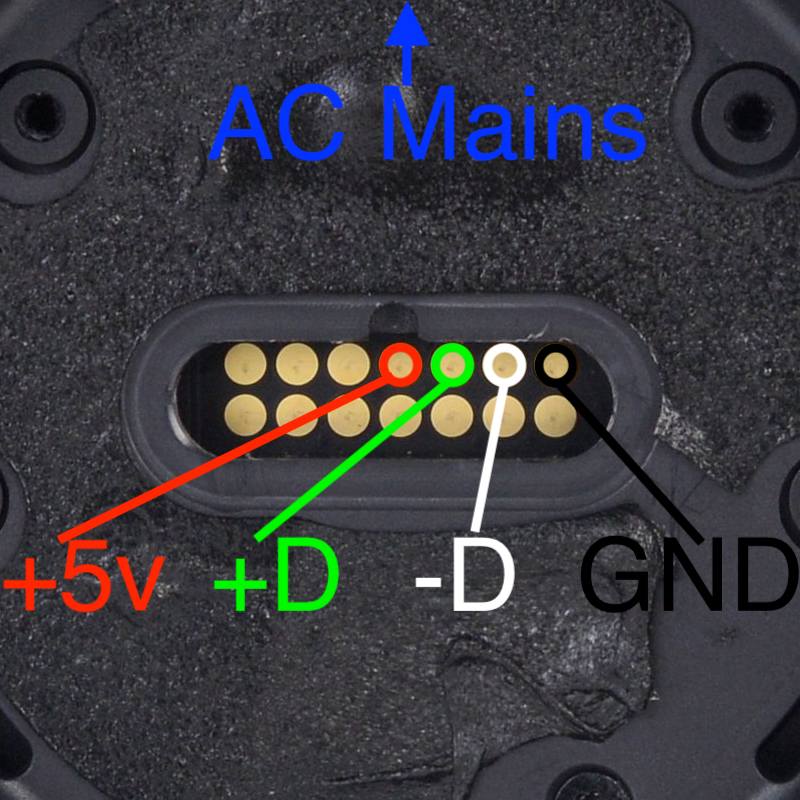
USB Pinout
No Power, Boot Loops, or Blinking / Flickering Volume Buttons - Damaged Display
Symptoms: I've seen damaged displays cause differing symptoms ranging from no power at all, to flickering or boot loops, to flickering volume buttons.
Diagnosis: Thoroughly inspect the display for any damage, especially around the LED PCB on the backside. It's common when a HomePod is dropped for the display to get smashed in and start separating as pictured below. Sometimes damage is visually undetectable and you will need to sanity check with known good parts.
Repair: Damage like this usually warrants replacing the whole display.
Root Cause: Usually from being dropped. They don't just break like this by themselves
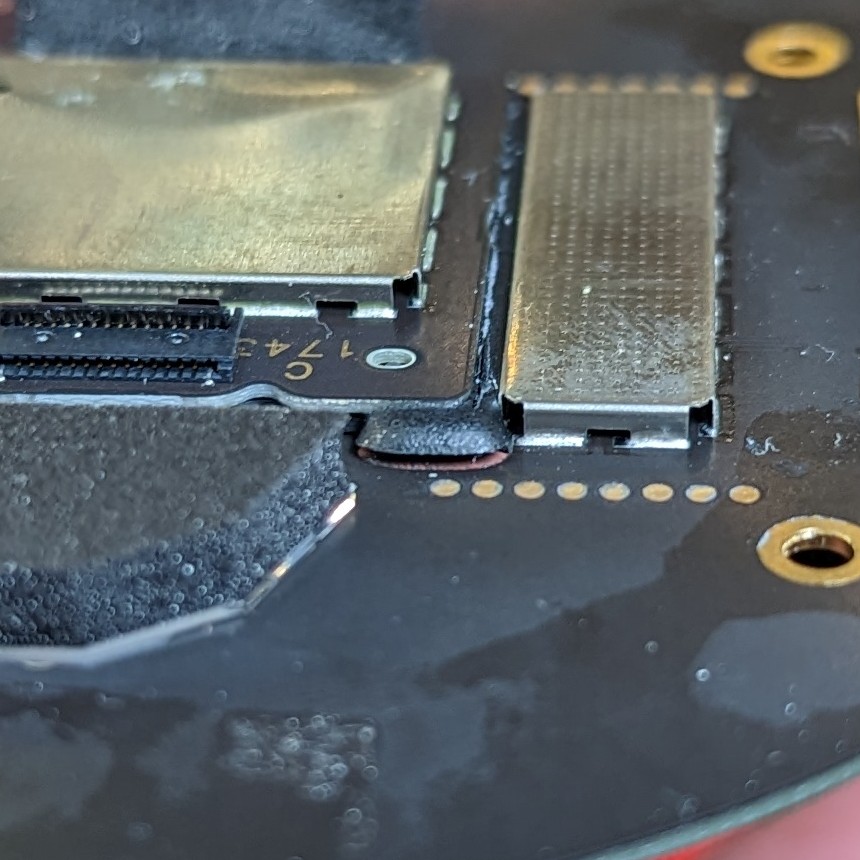
PCB for LEDs coming off
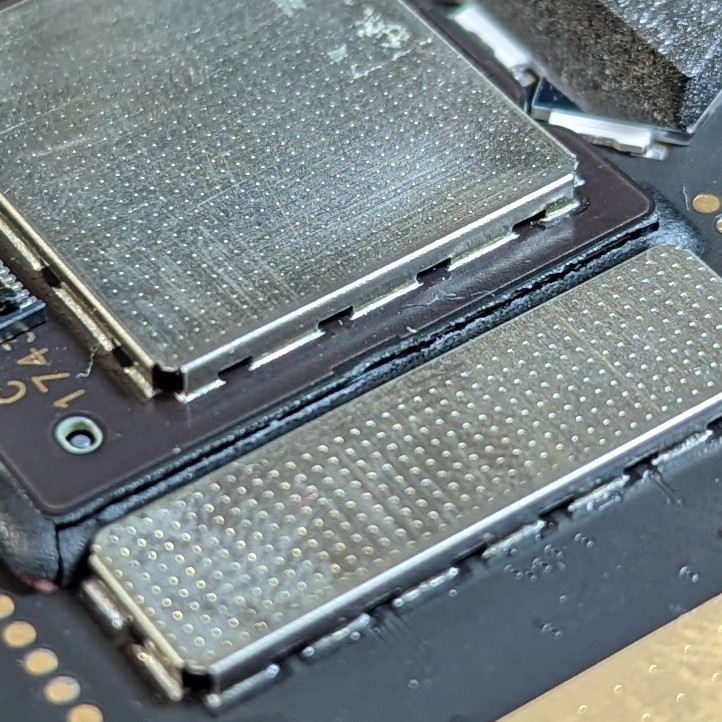
...