No Bass and/or Fast Clicking - Damaged or Dead Subwoofer Speaker
Symptoms: May include low, missing, or dirty sounding bass, clicking, or ticking sounds.
Diagnosis: Two easy tests to tell if your subwoofer speaker is bad;
1: Gently push the speaker straight in, not too much, and release a few times; This should feel perfectly smooth, and make no sound, otherwise your speaker is almost certainly dead.
2: Inspect the condition of the voice coil through the hole in the side of the subwoofer speaker basket; A vibrant, uniform copper color is a sign of a healthy voice coil!
If your subwoofer is damaged, it is likely from DC Offset / Death Farts, which should also be diagnosed per the death farts guide.
Repair: I'm not aware of any off the shelf replacement speakers, you will likely need to source one from another broken homepod. Be sure you diagnose and repair any DC Offset before replacing your subwoofer.
Root Cause: Most often a result of too much DC Offset! Sometimes they can also just fail on their own eventually, but it is rare.
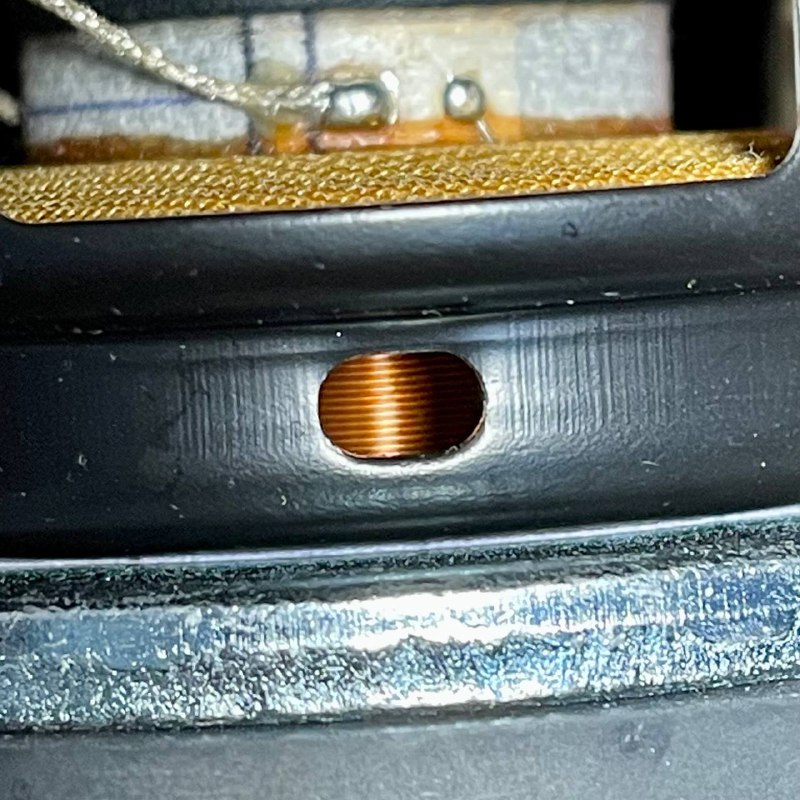
Good Voice Coil
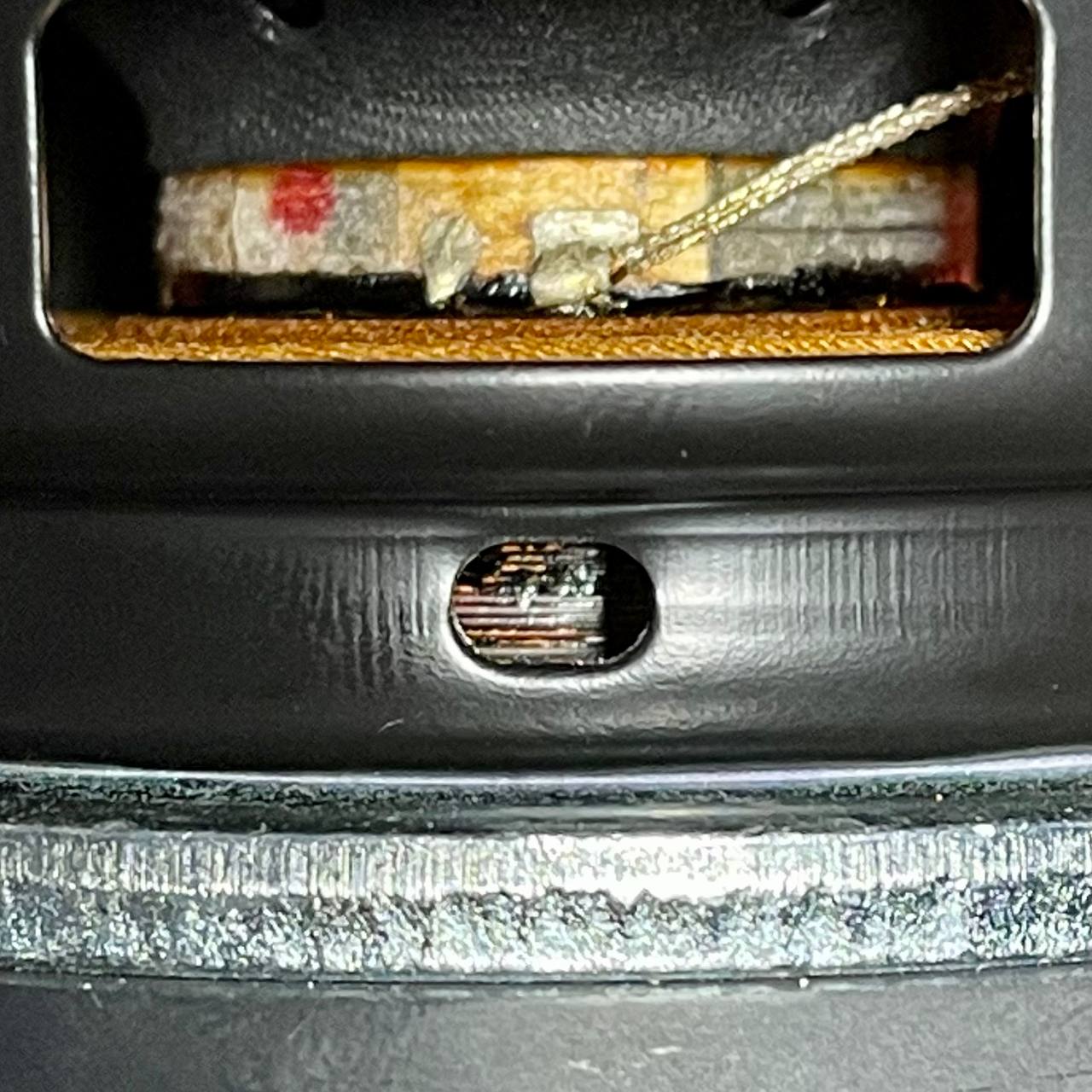
Burned Voice Coil
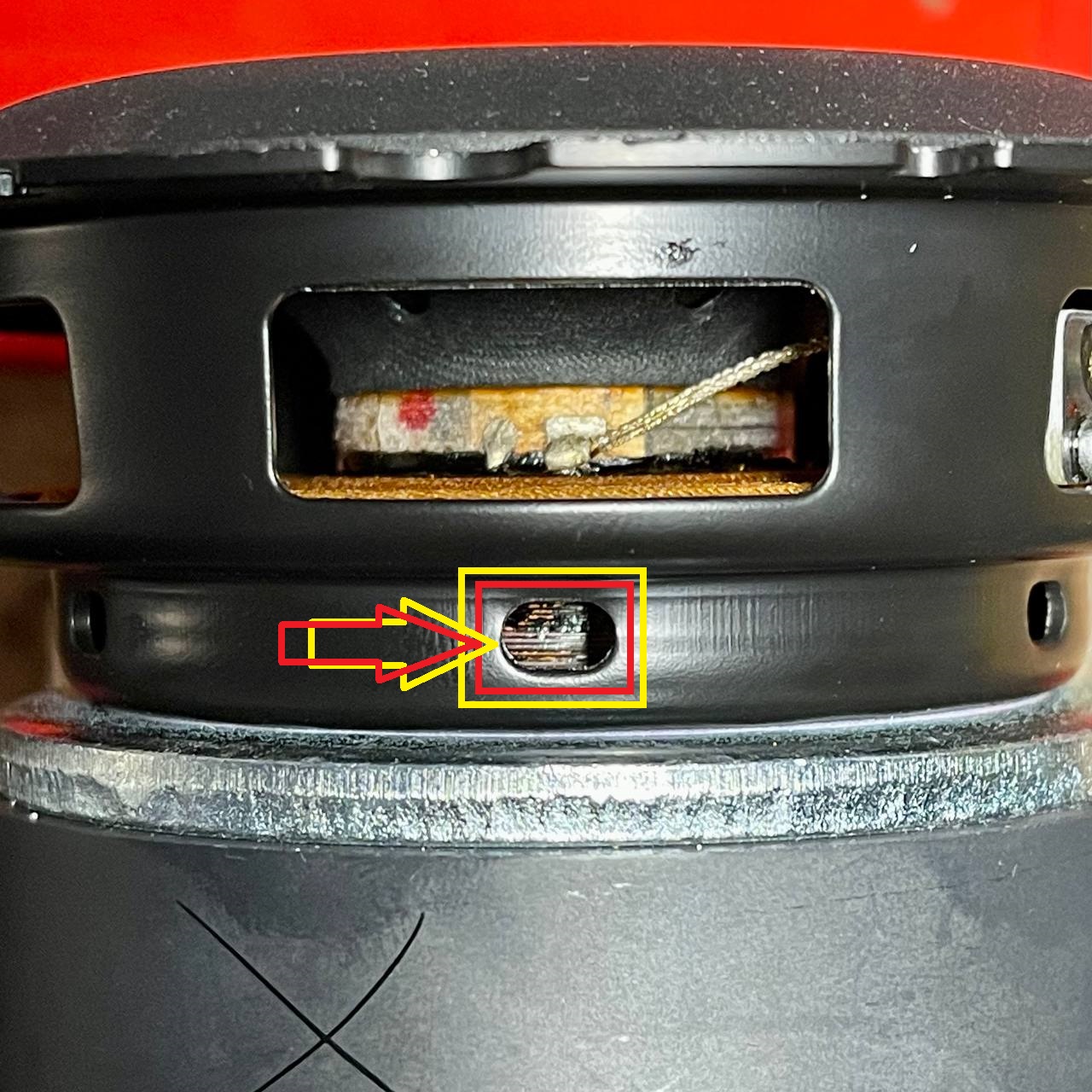
Voice Coil Inspection Port on Woofer
Do the Doof Test
No Bass - Short Near Amp IC
Symptoms: No Bass whatsoever.
Diagnosis:On a few no bass amp repairs, I've found the same component shorted out, see photo below.
Repair: Check if you have the same shorted capacitor, and if so, replace it with 22uF, 0802, 25v (or greater), 10%, X5R capacitor. These are what I use.
Root Cause: Unknown.
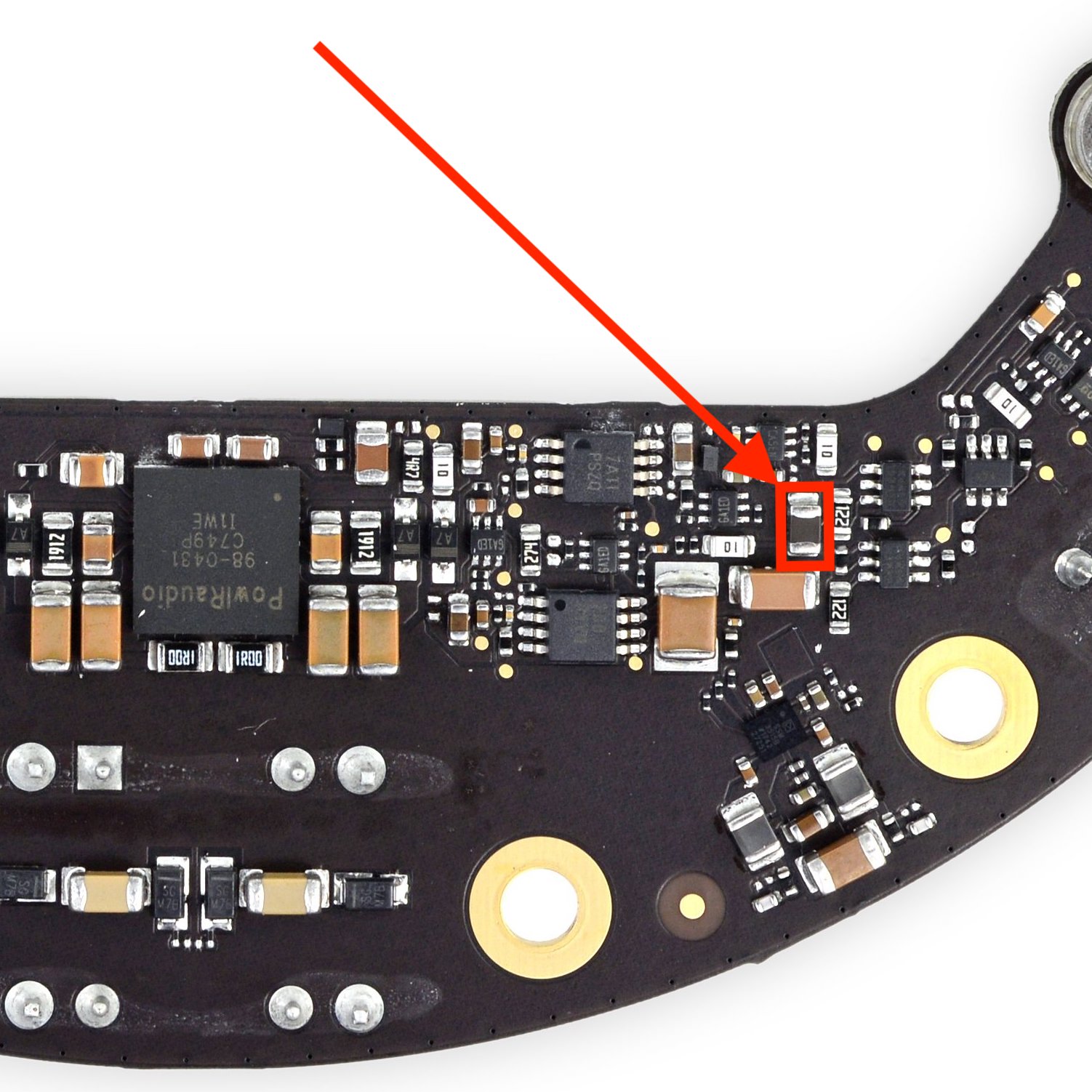
WHO WEARS SHORT SHORTS
Capacitor: 22uF, size 0802, 25v (or greater), 10%, X5R
No Bass - Another Short Near Amp IC
Symptoms: No Bass whatsoever.
Diagnosis:On a few no bass amp repairs, I've found a few other components shorted out at the same time, see photo below.
Repair: Check if you have the same short, and if so, replace shorted 0.1uF size 1206 capacitor, and IC. The circled IC is a mosfet, part number
DMG1029SVQ-7. See datasheet for mosfet specs. Replacement part numbers to come soon.
Root Cause: Unknown.
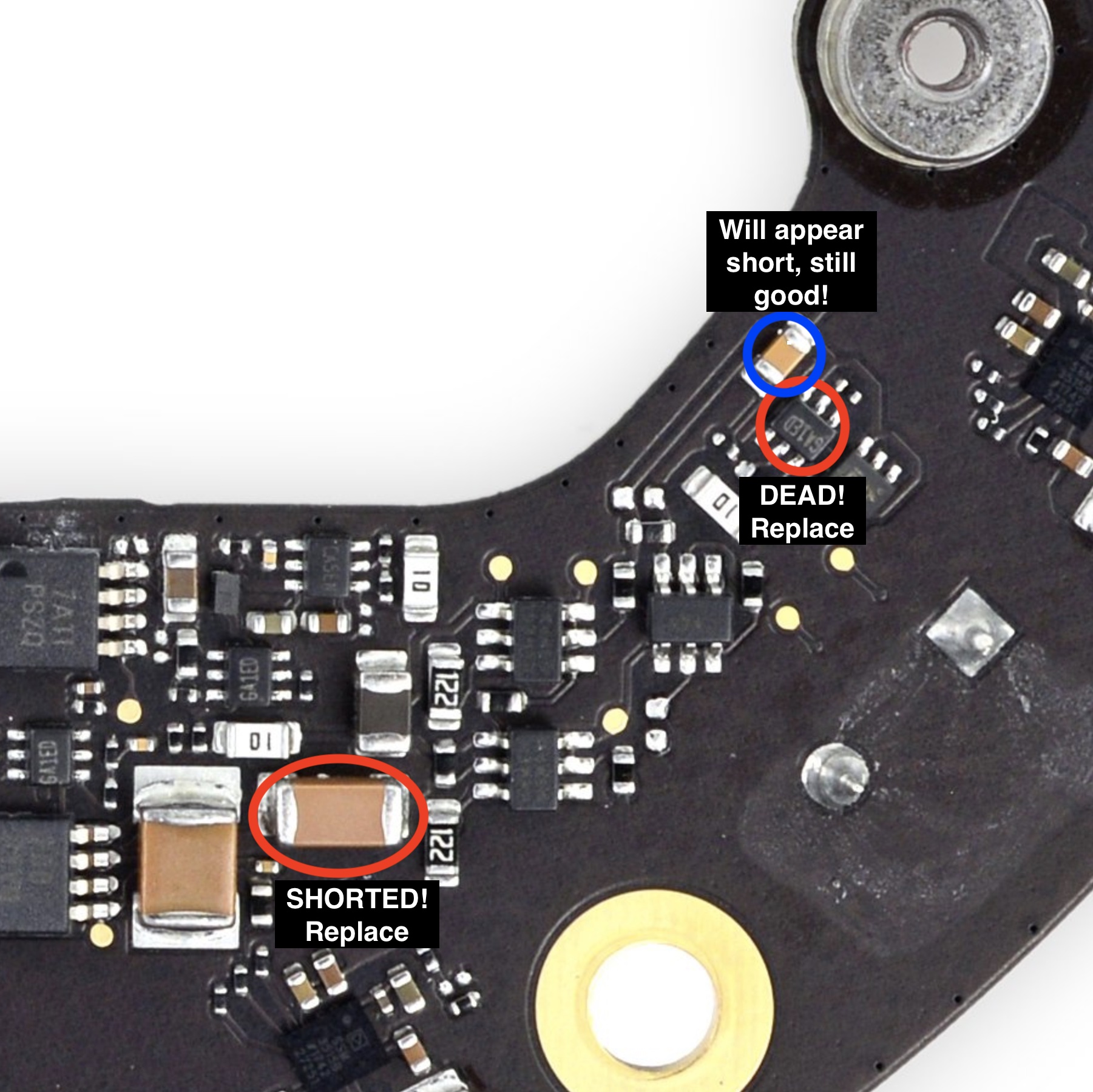
I WEAR SHORT SHORTS
Capacitor: 0.1uF, size 1206
Mosfet: DMG1029SVQ-7
No Bass - Dead Amplifier IC
Symptoms: It's rare for the amp IC to be the source of any problems, unless it is obviously damaged, you should first diagnose for other issues described above.
Diagnosis: Amp IC is located on the bottom side of the amp board. The amp IC may or may not have obvious visual damage. Image coming soon that shows which pads to check for a short to ground, indicating a dead amp chip. HomePods will power on with the amp IC removed! Do not be fooled by the PIN1 identifier mark in the bottom left corner of the chip.
Repair: The OEM amp IC (part number 98-0431) is available on Aliexpress for a limited time. Part number IR4312M is available from multiple component sellers and is also a suitable alternative, but is being discontinued.
Root Cause: The amp IC can fail on it's own, or if it's subject to too much DC voltage as a result of failing capacitors. More info on that in the DC Offset guide!
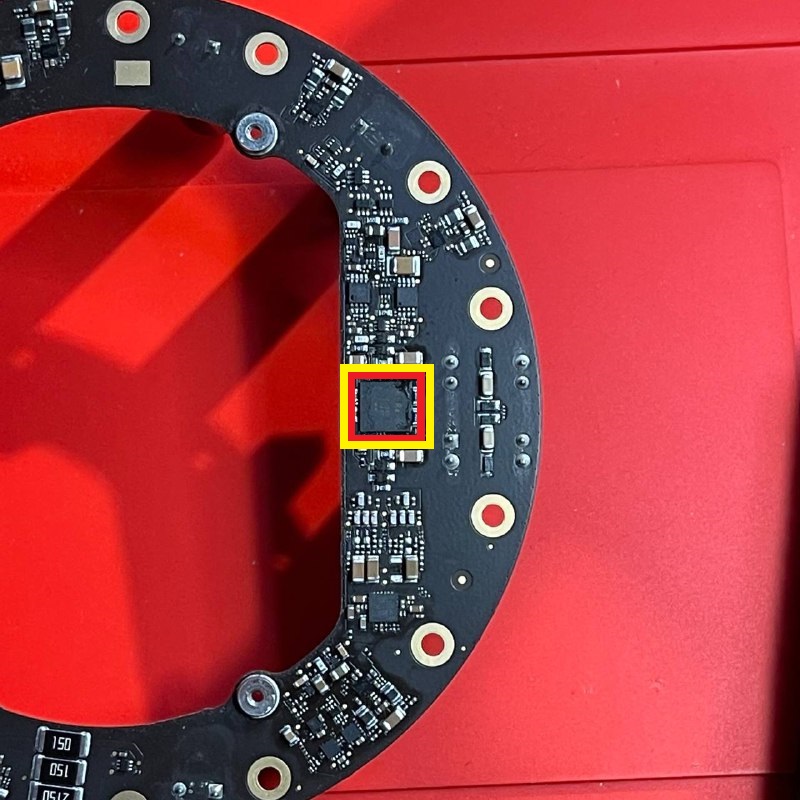
Amp IC Location on Amp Board
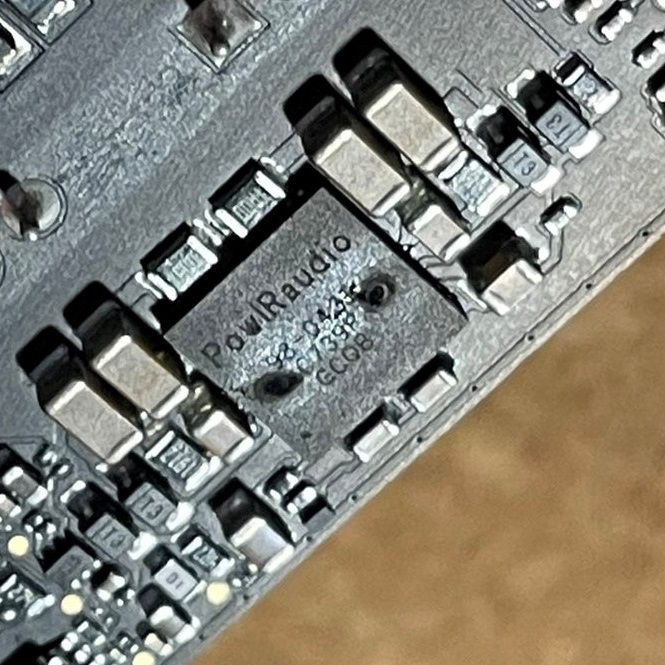
A Clearly Dead Amp IC
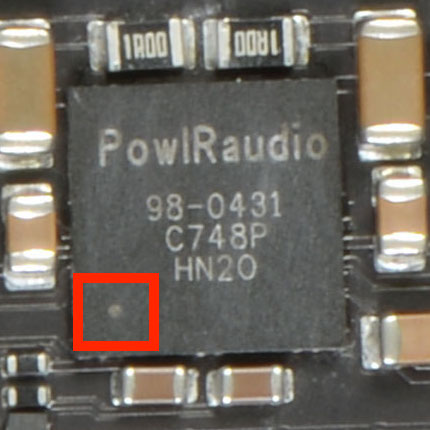
Amp IC Pin 1 Identifier
OEM Part: 98-0431 (can also replace with IR4312M)